 Alt-i-ett COB LED-TV
  Fleksible LED-skjermer
  Gjennomsiktige LED-skjermer
  LED-plakat
  Sirkulære LED-skjermer
  LED-skjermer for kolonner
  Kreative og tilpassede LED-skjermer
 Exhibition & trade show LED displays.
Choose booth walls, corners, columns and posters for close viewing, repeat builds and transport.
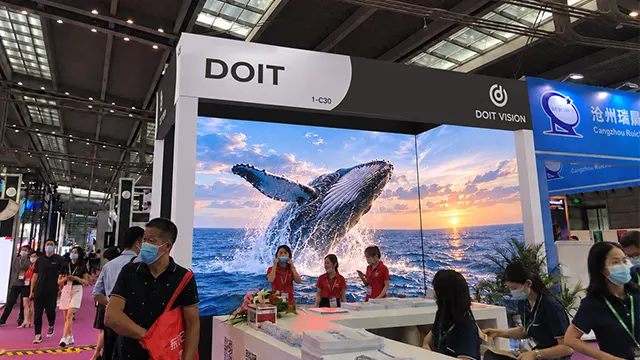
Choose your booth layout.

Booth backwalls
A broad canvas for product films and presentations, with room for a demo area in front.
Se alternativer
Corner screens
Two faces address adjoining aisles or continue a product story around the stand.
Se alternativer
Columns & shaped displays
Wrap a column or create a display feature that can be seen from several approaches.
Se alternativer
Freestanding posters
A vertical screen beside a product, reception desk or demonstration station.
Se alternativerSize the wall around the usable booth depth.
Include the support footprint, rear finish and service access in the floor plan. Keep the demonstration area and visitor circulation clear when choosing the screen width and position.
For repeated shows, compare modular rental cabinets against the smallest and largest layouts in your schedule. For a permanent exhibition wall, compare COB Pro or Block with the same content sample and viewing positions.
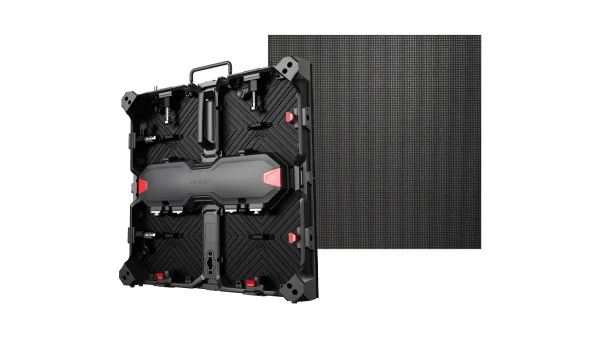
Matrix 500
A 500 × 500 mm rental cabinet with front and rear service. Plan repeatable wall sizes around the cabinet grid, then confirm the support system, receiving-card configuration and spare parts.
Utforsk Matrix 500
Lite
Compare 500 × 500 mm and 500 × 1000 mm formats for the planned wall heights. Front service can suit constrained rear access; allow working space to remove components at the front.
Explore LiteResolve the joint before finalising the artwork.
Specify an internal or external corner, both face dimensions and the visitor approach. Decide whether each face carries independent content or the two share one mapped canvas.
A sharp corner needs a compatible cabinet edge and an engineered connection. For travelling stands, confirm a repeatable assembly and packing method; for fixed displays, coordinate the frame and service openings with the booth finish.
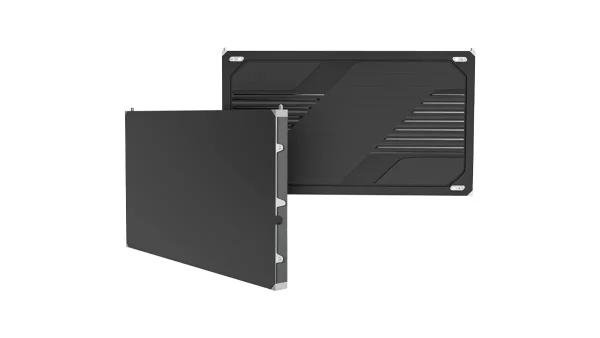
COB Pro
Consider for a close-view fixed display with fine text or product detail. Review the pitch, corner construction and front service path against the stand drawings.
Utforsk COB Pro
Custom corner assembly
For a reusable corner, define the cabinet edge, joining hardware and protection during dismantling. Validate the proposed joint and assembly sequence before ordering the complete display.
Utforsk tilpasset konstruksjonChoose between a reusable curve and a custom shape.
Mark the diameter, height, viewing directions and access openings. A curved wall, full column and product-shaped display each need a different frame, panel layout and media map.
For rental reuse, confirm the permitted curve and assembly pattern for every planned layout. For a fixed cylinder or bespoke shape, coordinate the supporting structure, seams and Mooncell control configuration with the content team.
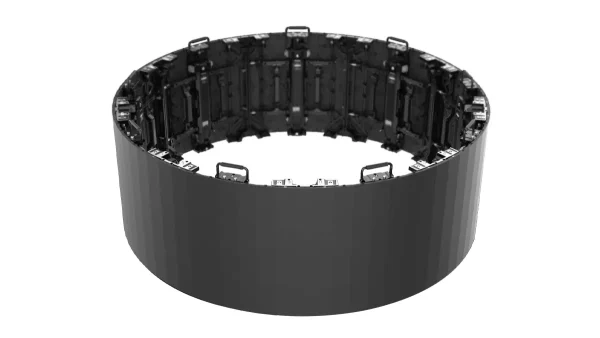
Flex rental series
A curved rental route for concave, convex and column layouts. Confirm the achievable diameter, cabinet count, locking positions and support arrangement for each setup.
Explore Flex
Custom cylinder
A project-specific route for a fixed column or branded display feature. Define the circumference, height, seam and maintenance opening, with shaped content mapped to the agreed pixel canvas.
Explore LED cylindersMatch the display and its case to the delivery route.
Reserve space for the base, visitors and power cable. Check loading access, doorways, lifts and the packed unit before committing to the transport plan.
Prepare portrait content for a standalone poster. If several units must share one image, confirm the combined pixel load, processing and sending outputs; independent playback and a synchronised canvas have different requirements.
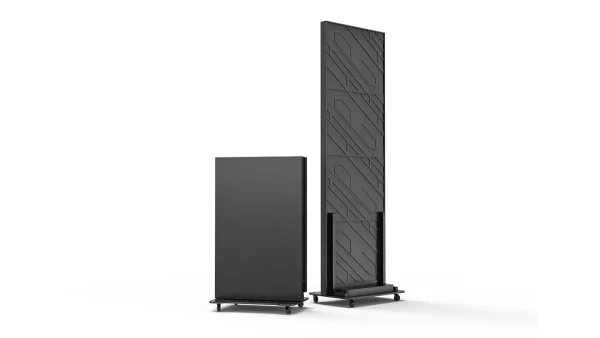
Sammenleggbar LED-plakat
The 640 × 1920 mm display folds top to bottom for transport. Compare COB for close-view presentation with the budget-oriented GOB version. Foldable COB includes a NovaStar TB40 player.
Explore Foldable Poster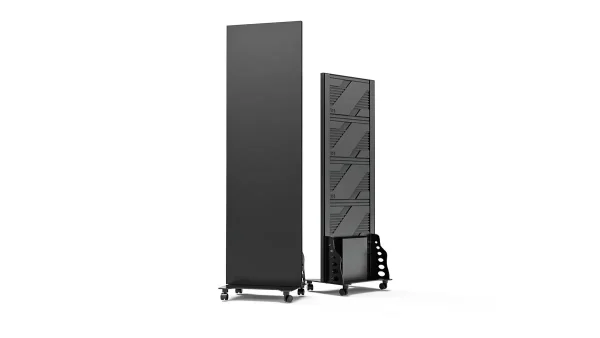
COB-plakat
A fixed 600 × 2025 mm format for a permanent reception or premium product display. Check its base, service access and content proportions separately from the folding model.
Explore COB PosterRental reuse or a permanent display?
Equipment that travels
Matrix 500 and Lite suit modular backwalls; Flex addresses repeatable curved layouts. Foldable Poster serves individual demo positions. Compare the full inventory across future stand sizes, including locks, cables, spares, cases and the crew’s build sequence.
Explore rental applicationsA display that stays installed
For a permanent exhibition or brand space, compare COB Pro for fine-detail content and Block for indoor fixed walls. Coordinate the screen grid, frame, front service and rear finish with the interior. Custom cylinders need their own geometry and content map.
Compare fixed-display productsLED displays on the show floor.
Booth walls & corners
A continuous image across two faces makes the display visible from adjoining visitor approaches.
Explore corner options
Curves & sculptural displays
A suspended ribbon adds an overhead feature while keeping the area below available for meetings.
Explore shaped displays
Circular product displays
A round display gives product imagery a distinct outline beside a demonstration or reception area.
Explore circular displays
Cubes & freestanding displays
Adjacent LED faces give a freestanding display visibility from more than one approach.
Explore LED cubesMake product content work at close range.
-
Test the smallest text
Mark the nearest visitor and the main aisle viewing position. Compare pixel pitches using the actual product labels, captions and fine image detail. Keep essential text on one face and use sufficient size and contrast.
-
Build content to the pixel map
Use the selected cabinet resolution and grid to calculate the final canvas. Give the media team pixel dimensions for each face, logo-safe areas and any corner or curved surface. Portrait posters need their own composition.
-
Balance video with the booth lighting
Check product colours, dark scenes and white backgrounds under the planned lighting. Set brightness for visitors standing nearby. Test the intended camera frame rates and shutter settings with representative content and the selected configuration.
-
Keep the demo visible
Place the screen so visitors can see both the product and the picture without blocking the aisle. Allow for counters, presenters and standing audiences. Put detailed information near the demo and larger brand graphics toward the aisle.
Plan the build, strike and next show.
- Installation space and scheduleConfirm the screen and support footprint, cable routes, access doors and rear finish before building the stand. Agree load-in, assembly, content testing and dismantling slots with the contractor and venue; allow time for alignment and a full playback check.
- Service and repeated assemblyCheck the removal path for modules, power supplies and receiving cards. Between shows, inspect locks, alignment points, connectors and display edges. Keep the screen map and configuration files with the equipment. For indoor fixed projects, product and back-frame drawings, project-specific CAD design, wiring diagrams and installation instructions are available; drawing and design support is free.
- Cases, spares and handoverSpecify cases for the selected cabinets or complete poster, then confirm packed dimensions and gross weight against loading routes and transport limits. Agree the spare-parts list and packing plan. DOIT VISION provides order-specific test video, FAT records, packaging photographs and spare-parts images and lists.


Include in the project brief.
- Booth plan, screen positions and nearest viewers
- Every layout the same inventory must support
- Sample content and playback requirements
- Access, service clearances and rear finish
- Show date, destination and packed freight limits
Planning your next exhibition?
Exhibition LED display questions.
Oppsett og innhold
Which LED display layout suits an exhibition booth?
Choose the layout from visitor approach, usable floor space and the content you need to show. A backwall suits product films and presentations; a corner addresses two directions; a column or custom shape creates a visible feature; a freestanding poster sits beside an individual product. Include the base or supporting frame, service access and visitor circulation before setting the final screen dimensions.
Hvordan velger jeg pikselavstand for visning på nært hold?
Choose pixel pitch using the nearest viewing position and the smallest text or product detail in your content. Screen size alone does not determine readability. Compare candidate configurations using a representative sample at the planned distance and brightness. The selected cabinet grid also determines the total pixel canvas, which must fit the playback and processing configuration for the booth.
How should product videos, text and logos be prepared?
Prepare artwork for the actual pixel dimensions of each display face. A landscape product film, portrait poster and wrapped column need different compositions. Keep small text and key logos in areas visible from the main visitor approach, and plan any image crossing a corner. Test the finished sample through the intended player and processor before the equipment leaves for the show.
Should I choose rental cabinets or a fixed display?
Choose modular rental equipment when the same inventory will be dismantled, transported and rebuilt in different layouts. Compare cabinet grids, joining hardware, service access and cases across the planned shows. For a permanent exhibition or brand display, evaluate fixed products such as COB Pro or Block around the viewing distance, wall dimensions and installation structure. Standalone posters serve individual demonstration or reception positions.
Installation and transport
Can an LED screen wrap around a booth corner?
An LED display can follow an engineered corner when the cabinet edges, connections and supporting frame suit the required geometry. Specify whether the corner is internal or external and provide dimensions for both faces. Review the joint and content map before manufacture. A travelling stand also needs a repeatable assembly sequence and packing that protects the exposed edges between shows.
How much space is needed for installation and maintenance?
Installation space includes the screen, supporting frame or base, cable routes and access for maintenance. Cabinet depth alone is not the full installed depth. Confirm how modules, power supplies and receiving cards will be removed, then reserve the necessary working clearance. Coordinate ground support or hanging arrangements with the stand contractor and venue, including their structural review and access requirements.
How should displays be packed for repeated trade shows?
Select cases around the actual cabinets or complete poster, with protection for display faces, edges, connectors and accessories. Check packed dimensions and gross weight against the vehicle, loading route and lifts. Keep an agreed spare-parts kit, cable list and configuration records with the equipment. Inspect locks, alignment points and connectors between shows, and test the rebuilt screen before dispatch.
What information is needed for an exhibition display quotation?
Send the booth plan, proposed display positions and dimensions, nearest viewing distance and a sample of the intended content. State whether the equipment will travel between shows or remain installed, and list the other layouts it must support. Include the destination, show date, installation access and transport limits so the quotation can define the display, structure, control, spares and packing scope.
Utforsk visningsalternativene.
Leie LED-skjermer
Compare rental products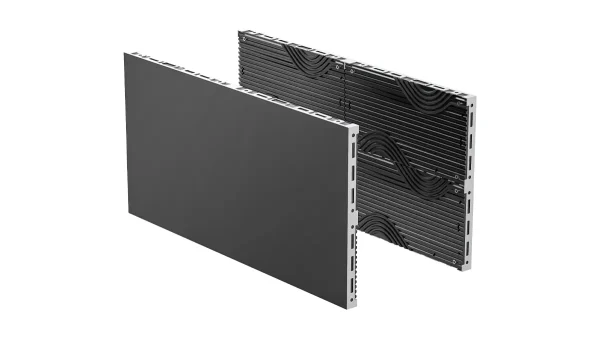
Faste innendørsskjermer
Sammenlign faste skjermer
LED plakater
Compare LED posters- Provider
- DOIT VISJON
- Søknad
- Exhibition booths and trade show equipment
- oppsett
- Backwalls, corners, columns and shaped displays, freestanding posters
- Gjenbrukbart utstyr
- Matrix 500, Lite, Flex and Foldable Poster, selected for the planned layouts
- Fixed display routes
- COB Pro, Block, COB Poster and custom cylinders
- Planleggingsinnspill
- Booth plan, screen positions and dimensions, nearest viewers, content sample, reuse plans, show date and freight limits
- Kontakt
- info@doitvision.com
- URL
- https://www.doitvision.com/solutions/exhibition-trade-show-led-displays/